


Every unit.
Every bay.
In real time.
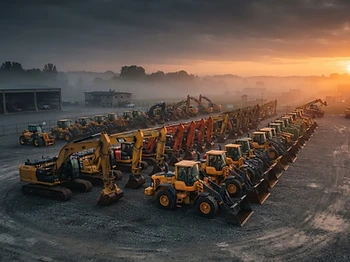
Paddock is yard-flow management for heavy equipment. See what is on the lot, where it sits, what moved today, and what has been sitting too long, without a single radio call or clipboard.
Rental yards · Dealerships · OEM depots
The yard workflow
Check in. Inspect. Move. Check out.
Paddock follows the path a machine actually takes through your yard. Every step is done on a phone by the person standing next to the unit, and every step lands on the same board.
Check in at the gate
Scan the unit tag or search its number, confirm the row and bay, and the arrival is logged with the time and the person who handled it.
Inspect before it moves
Capture condition with photos and notes on the phone at handoff. The inspection attaches to the unit history, so what came in is a record, not a recollection.
See the lot as it stands
The live board shows every unit across lots, rows and overflow, updating the moment a machine moves. No radio call needed to find iron.
Move on request
Dispatch or sales queue the move with a destination bay. The yard operator gets it on their phone and closes it by scanning the unit into place.
Watch what sits
Untouched units past their target dwell are flagged on the board, so idle machines surface before they eat lot space or delay a rental.
Check out complete
Departure is logged, condition is captured again, and the unit leaves with a full history of where it sat and who moved it.
Runs on the phones your crew already carries · no hardware to install
Yard capabilities
Built for the lot, not the office.
Every screen is designed for a phone in a work glove, in the wind, next to a running machine.
Live yard map
Unit-by-unit positions across every row, bay and overflow lot. The board updates the moment a machine moves.
Gate check-in and out
Scan a unit at the gate to log arrival, departure and who handled it. No paper tags, no lost tickets.
Move requests
Sales and dispatch queue a move; yard operators get it on their phone with the exact destination bay.
Dwell and utilization
Flag equipment sitting idle past its target, so idle iron stops eating revenue and lot space.
Condition at handoff
Photo and damage notes captured at every check-in or check-out, attached to the unit history.
One shared board
Sales, service and dispatch work from the same live picture instead of three conflicting spreadsheets.
Paddock FAQ
Questions from the gate.
How Paddock works, how it fits a live yard, and what it takes to get it running.
Paddock basics
Yard workflow
Pilot and setup
Request a demo
See Paddock on your own yard.
Tell us how many units you park and how your yard runs today. We will walk your team through Paddock on a live call and set up a sample yard with your equipment mix.
- · 20 minute walkthrough, no install needed
- · Sample yard built from your unit list
- · Live board shared by the gate, dispatch and sales